
Previo Network
See your customers. Place your warehouses. Are we shipping from the right place, and would another warehouse pay for itself?Previo Network in four minutes: one seller's year of orders, from the import to the board slide. The fictional Palmetto & Pine Home Goods, shipping from Tampa.
What it does
- Imports a year of shipped orders from Shopify, Amazon, WooCommerce or an ERP; columns are detected from the header, only the destination ZIP is required, and the cleanup report counts every row fixed or dropped. The file never leaves your computer.
- An offline U.S. map by 3-digit ZIP area: demand, ground days and zones from the nearest warehouse, cost per order, orders per 10,000 people against your own average. Alaska, Hawaii and Puerto Rico in insets. Click an area for its card; hover for the numbers.
- Shipping cost from your own UPS, FedEx and USPS rate cards, with billable weight, discount, residential and fuel; starter rates are illustrative until you import yours.
- Type a ZIP or right-click to add a site; drag a marker and every number follows. Optimize finds the best 1 to 4 sites for the lowest yearly shipping cost, keeping your warehouses or from scratch, with the yearly cost of a new site netted out.
- Scenarios side by side: every value with its change against Today, warehouse cost, safety stock by the square-root rule, carrying cost and the net saving a year, with a verdict card per scenario.
- Present (F5) for full-screen slides, a 16:9 PDF report with the appendices, an Excel workbook down to every ZIP area under every scenario, and a study file that opens anywhere with the same numbers.
Who it is for
- Small and mid-size sellers and distributors deciding on a second warehouse or a 3PL, and the 3PL sales teams and logistics consultants who advise them.
- Windows desktop, bought once per seat; the 14-day trial needs no card. Works offline from bundled Census geography.
Screenshots
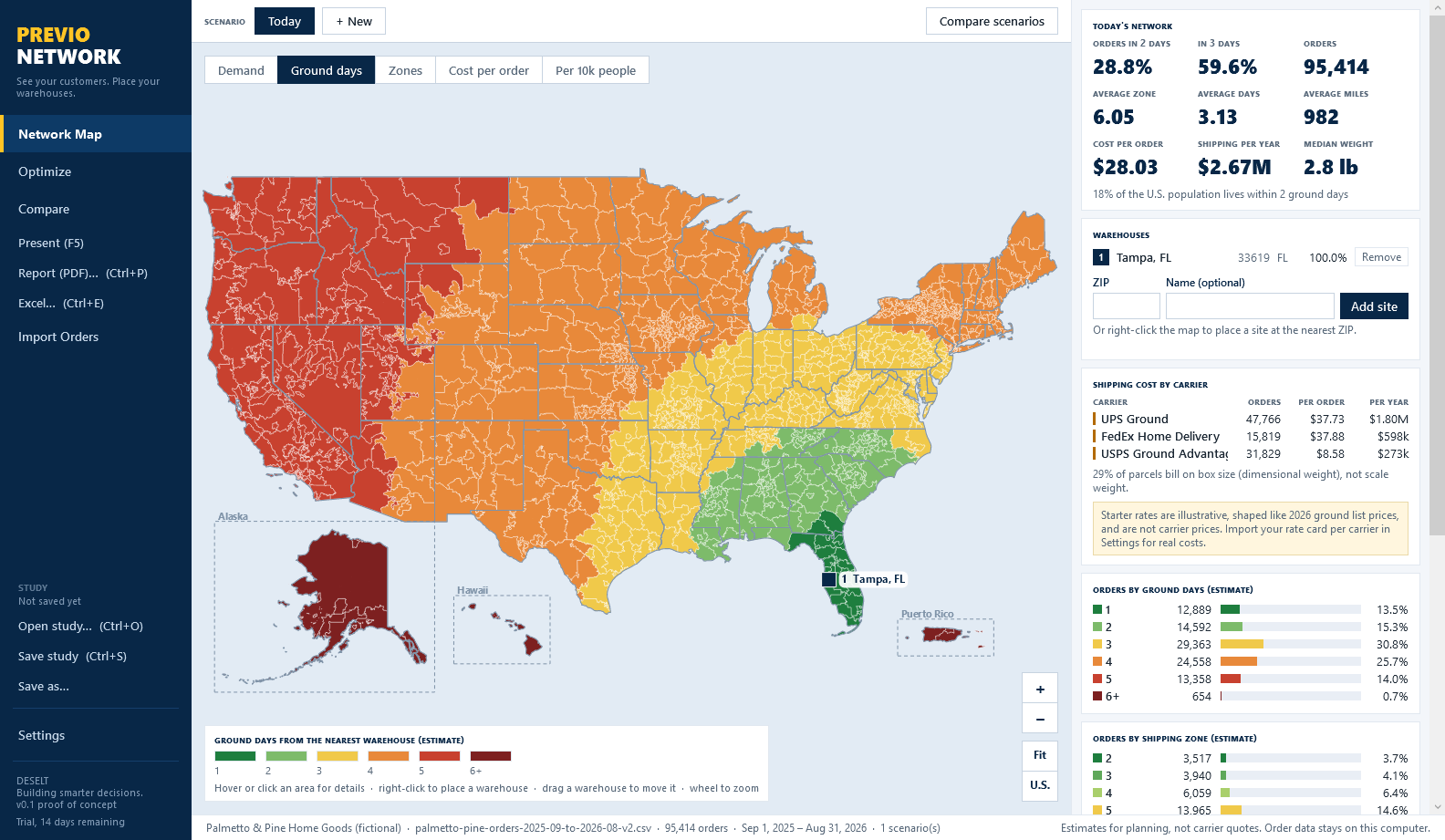
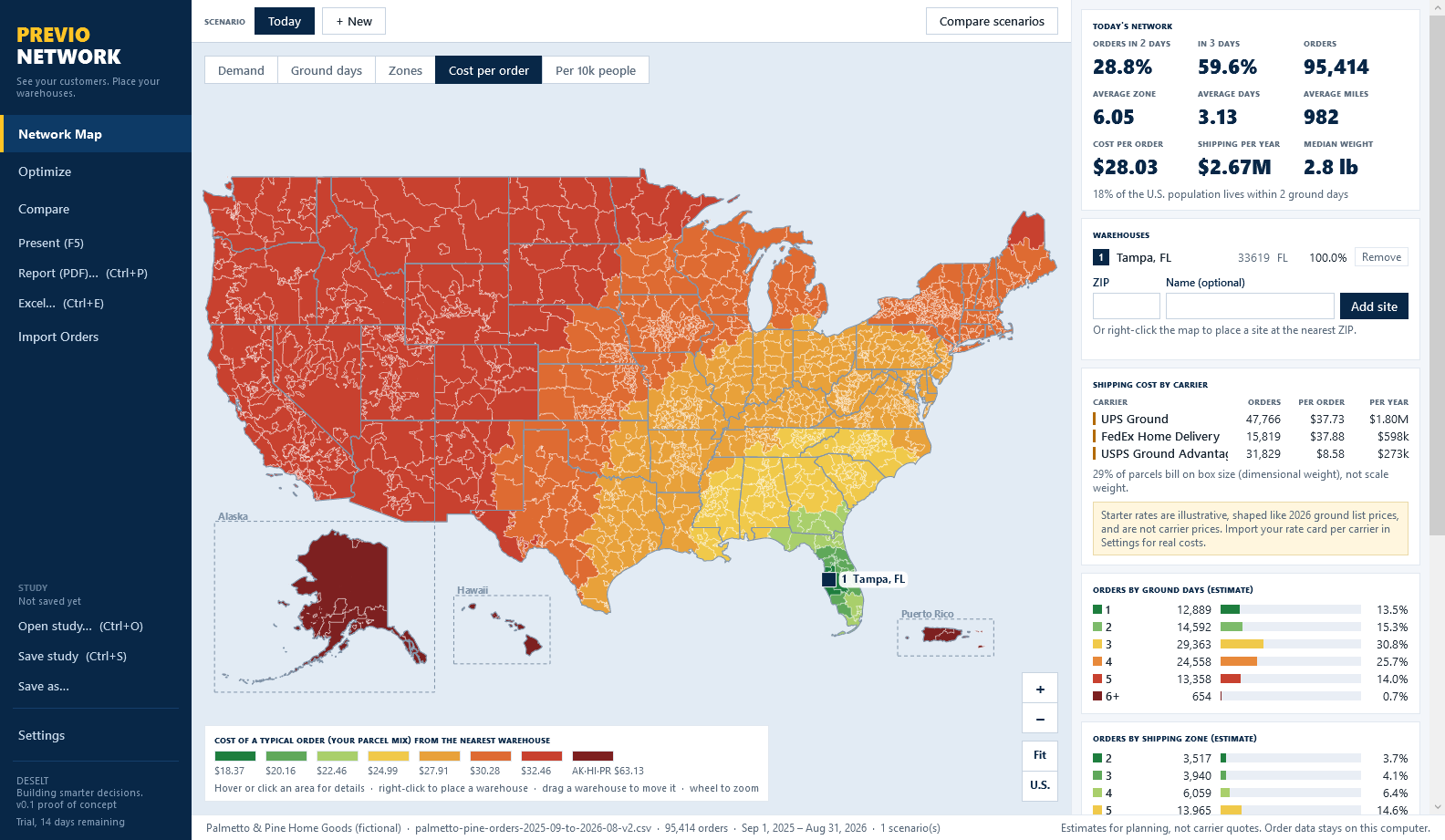
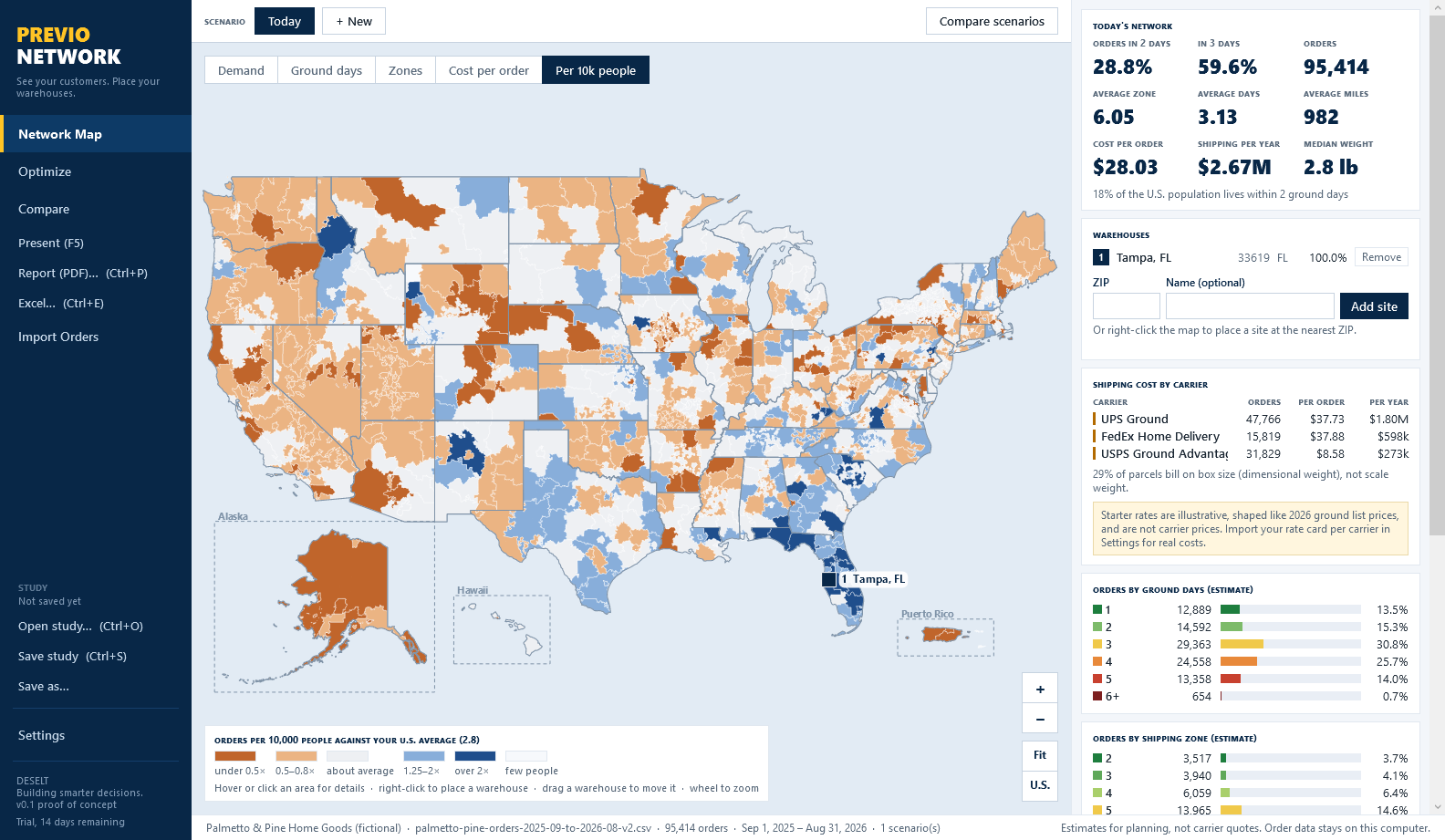
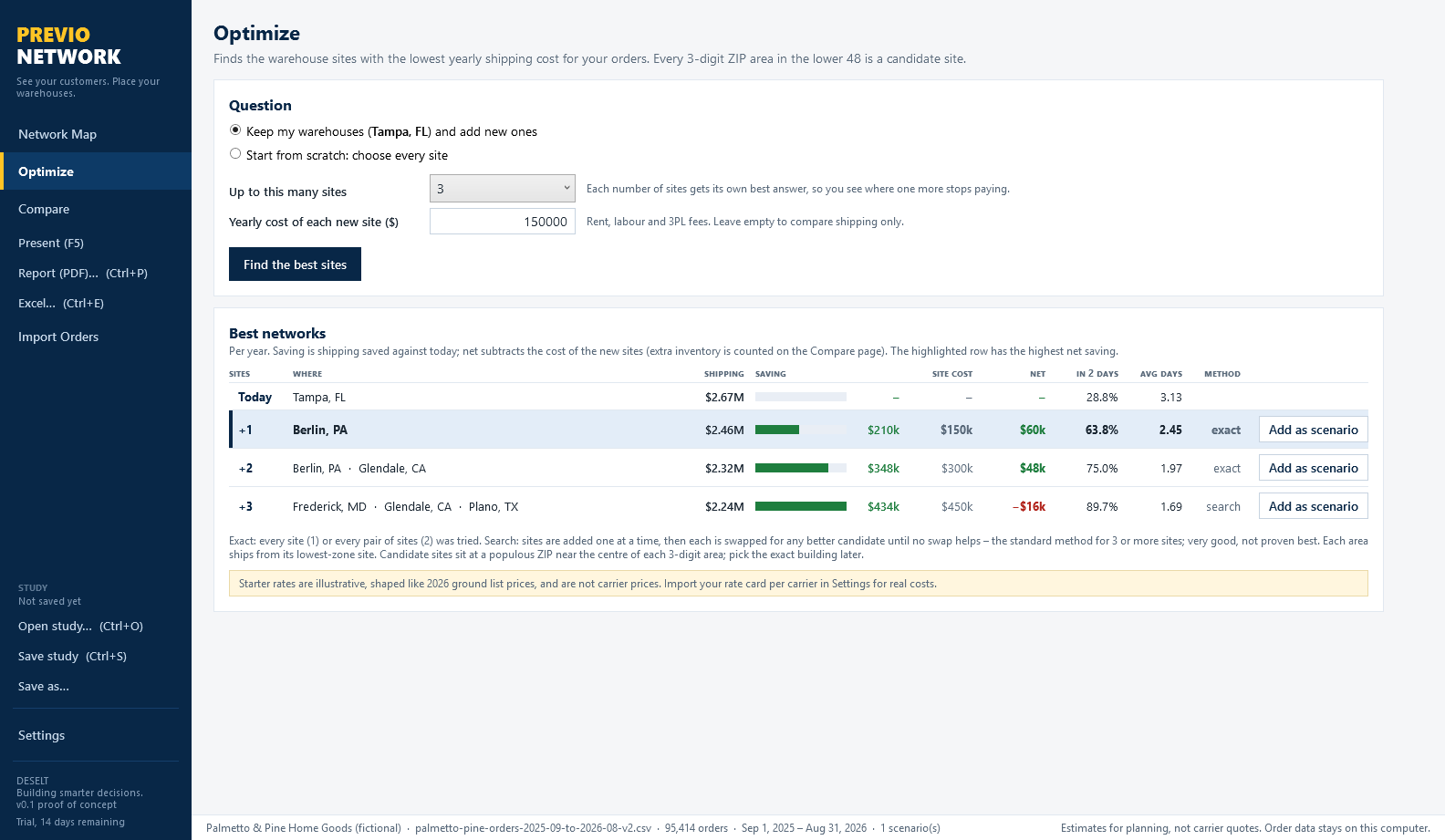
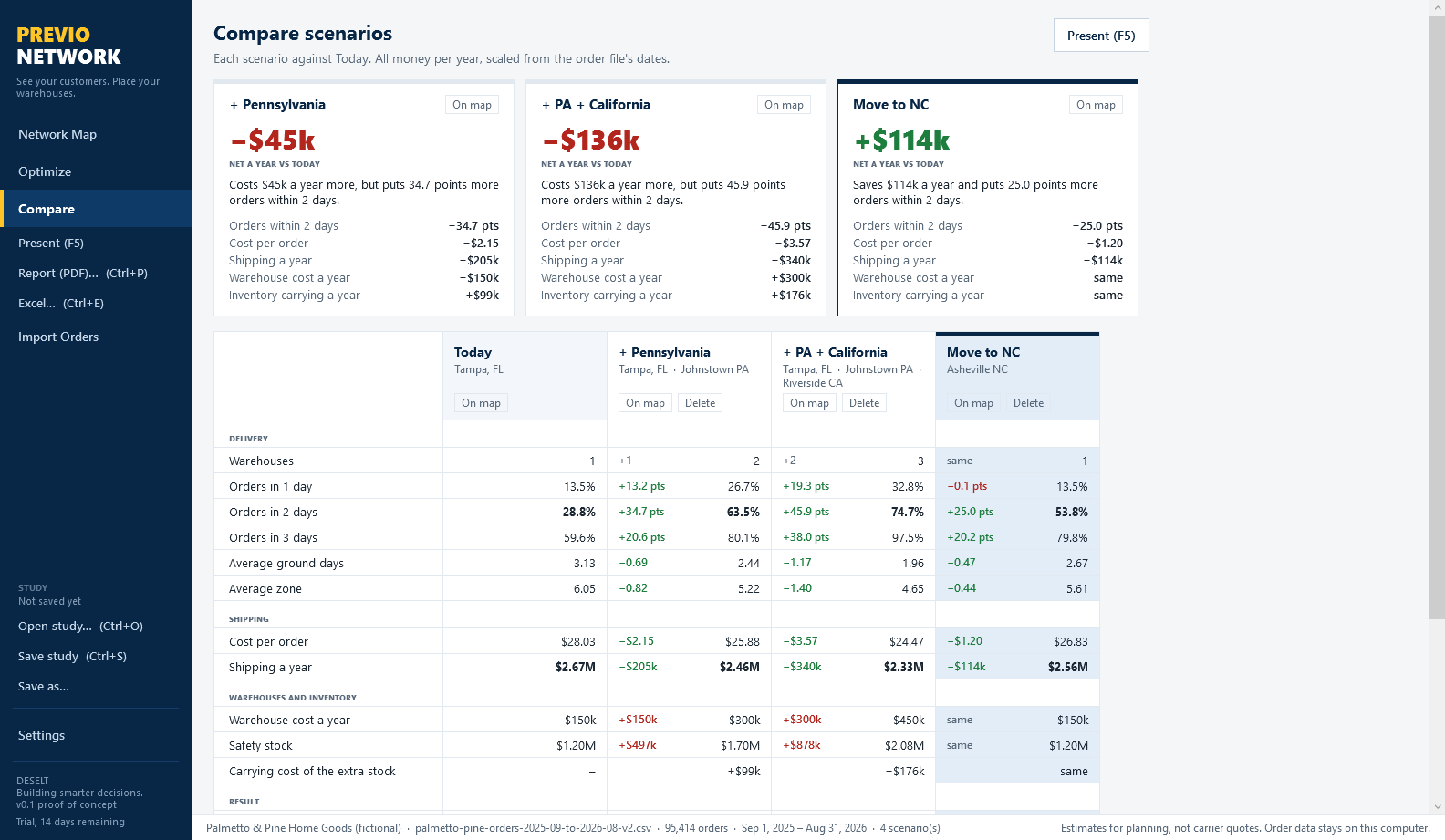
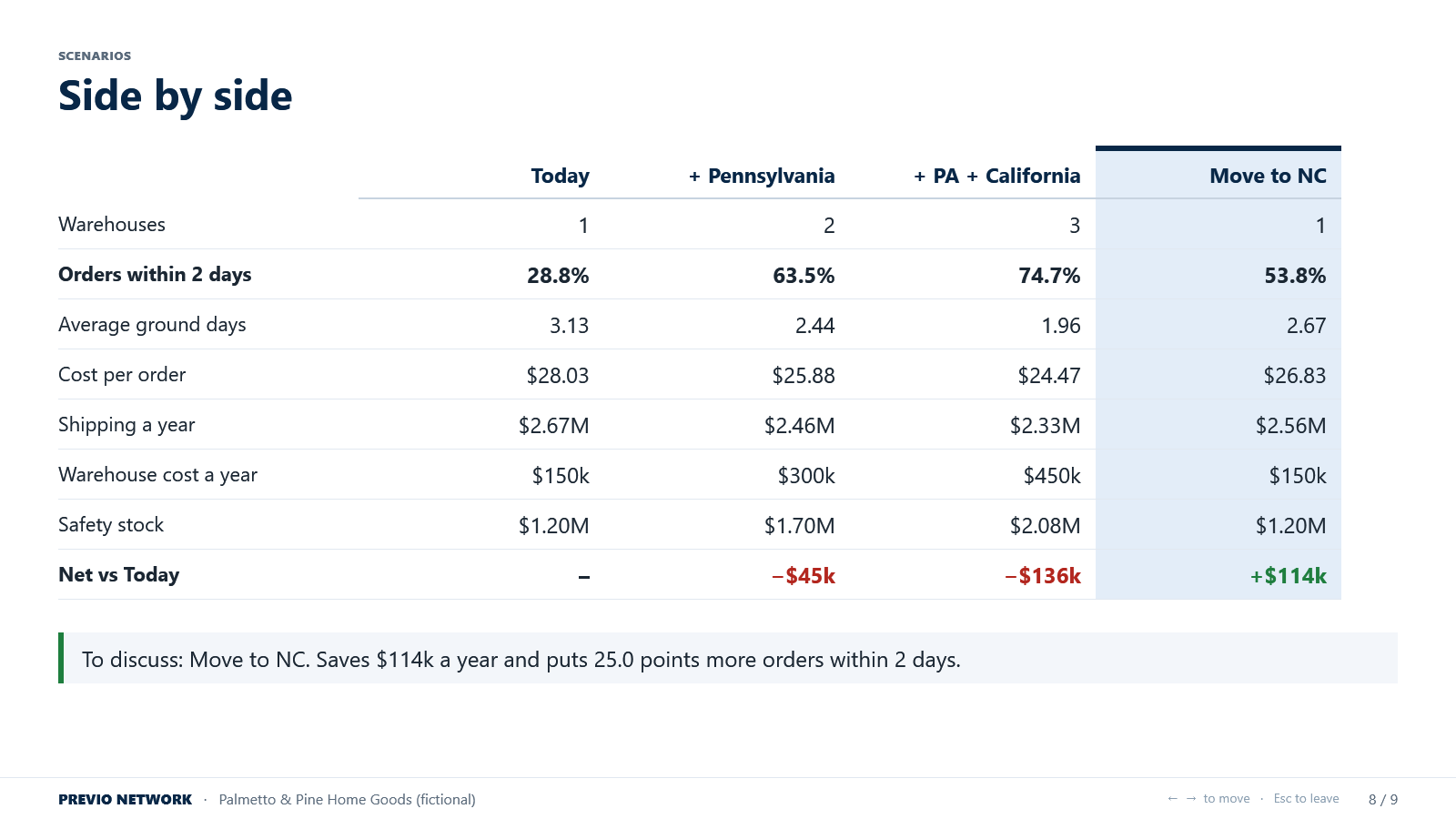
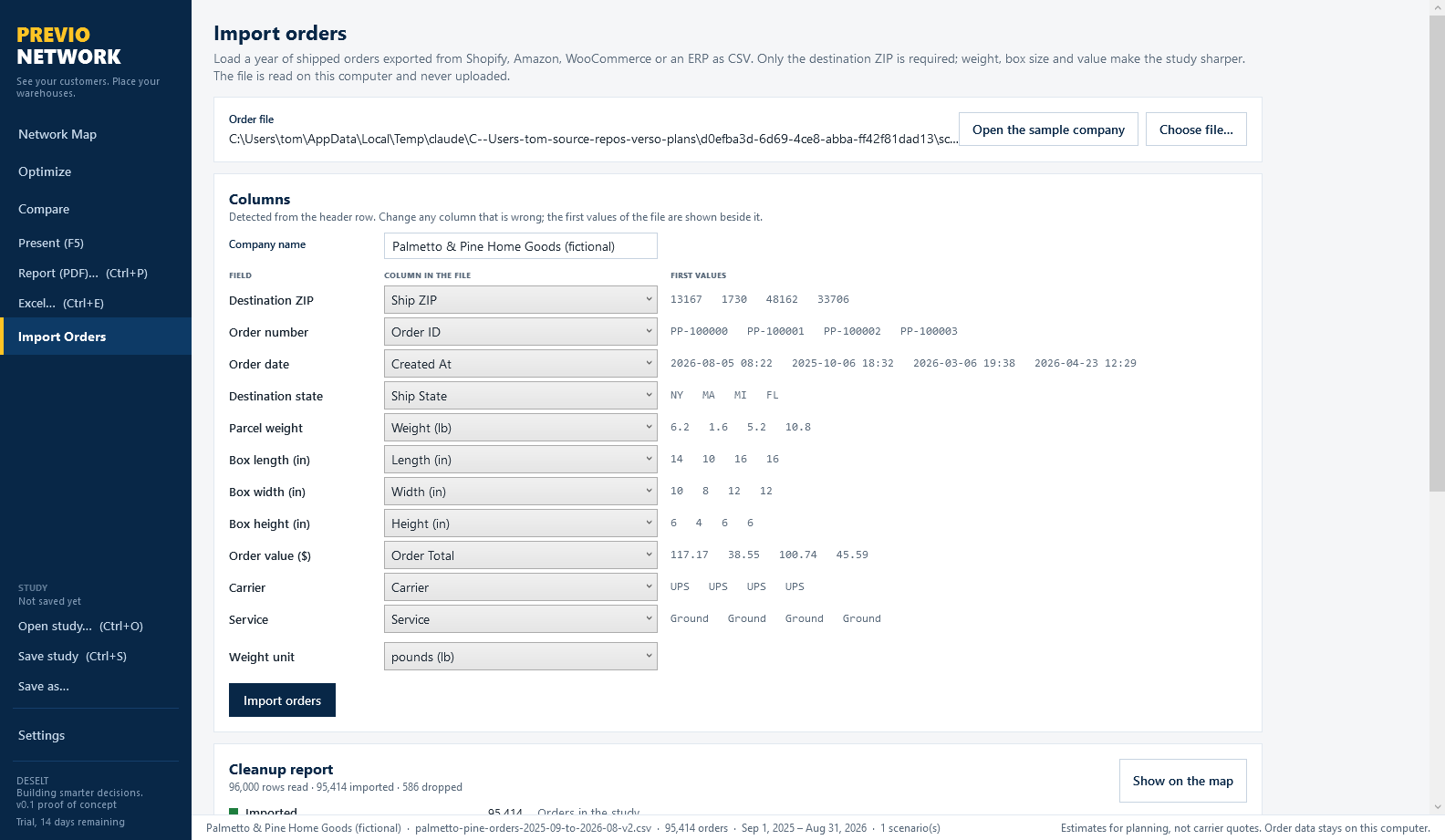
Every screen shows the fictional sample company Palmetto & Pine Home Goods and its fictional numbers, labelled as such in the app. The full description is on its page at deselt.com.
Help
The first day
- Open the sample company to see every screen, or Import Orders with a year of your own shipped orders as CSV. Check the detected columns and press Import orders; read the cleanup report.
- Set your warehouses in Settings, with a yearly cost if you know it, and import your carrier rate cards; the starter rates are illustrative.
- Look at the map in Ground days and Cost per order; click areas; add a site by ZIP or right-click and watch the numbers.
- Run Optimize, add the answers as scenarios, and go to Compare. Press F5 to present; Ctrl+P for the report; Ctrl+S to save the study.
Estimates and their labels
Zones are estimated from distance with USPS zone bands; ground days from distance bands printed on screen: up to 250 miles one day, 600 two, 1,000 three, 1,800 four, farther five; Alaska, Hawaii and Puerto Rico six or more. Import carrier zone charts to replace the estimate. Every surface that shows an estimate says so.
The optimizer
Candidates are one per 3-digit area of the lower 48. One and two sites are exact, every site and every pair tried; three and four use greedy addition with swap search, the standard method, labelled search. About half a second for 95,000 orders. The candidate sits at a populous ZIP near the centre of its area; pick the exact building later.
Comparing networks
Shipping is annualised from the order file's dates. Warehouse cost is your own yearly cost from Settings, or the new-site cost you enter, for any other site. Safety stock follows the square-root rule as warehouses are added, with your carrying percentage. The net saving a year is what the verdict card shows; the best net column is highlighted.
Studies and privacy
A study (.pnstudy) carries the cleaned orders, the cleanup report, the scenarios, the rates and the assumptions; it opens anywhere with the same numbers and a colleague can open it in the trial. The map is drawn from bundled Census geography; there is no tile service, and order files are never uploaded.
Requirements
Windows 10 or 11, 64-bit. A licence key from deselt.com, or the 14-day trial. No internet connection is needed after the install, except for the licence check.