
Previo Levy
Florida ad-valorem revenue model. What does the homestead amendment do to our revenue, parcel by parcel?Previo Levy in four minutes: one county from the roll to the board packet. The 2025 St. Lucie County roll, every figure computed parcel by parcel.
What it does
- Downloads any Florida county's NAL roll straight from the Department of Revenue and imports it in one step, keeping TAX_AUTH_CD for per-authority attribution; a cleanup report counts every row fixed or dropped.
- Computes the proposed homestead amendment as written, $150,000 non-school exemption in 2027 and $250,000 in 2028, for every homesteaded parcel at your adopted millage: no averages, no estimates from a press release.
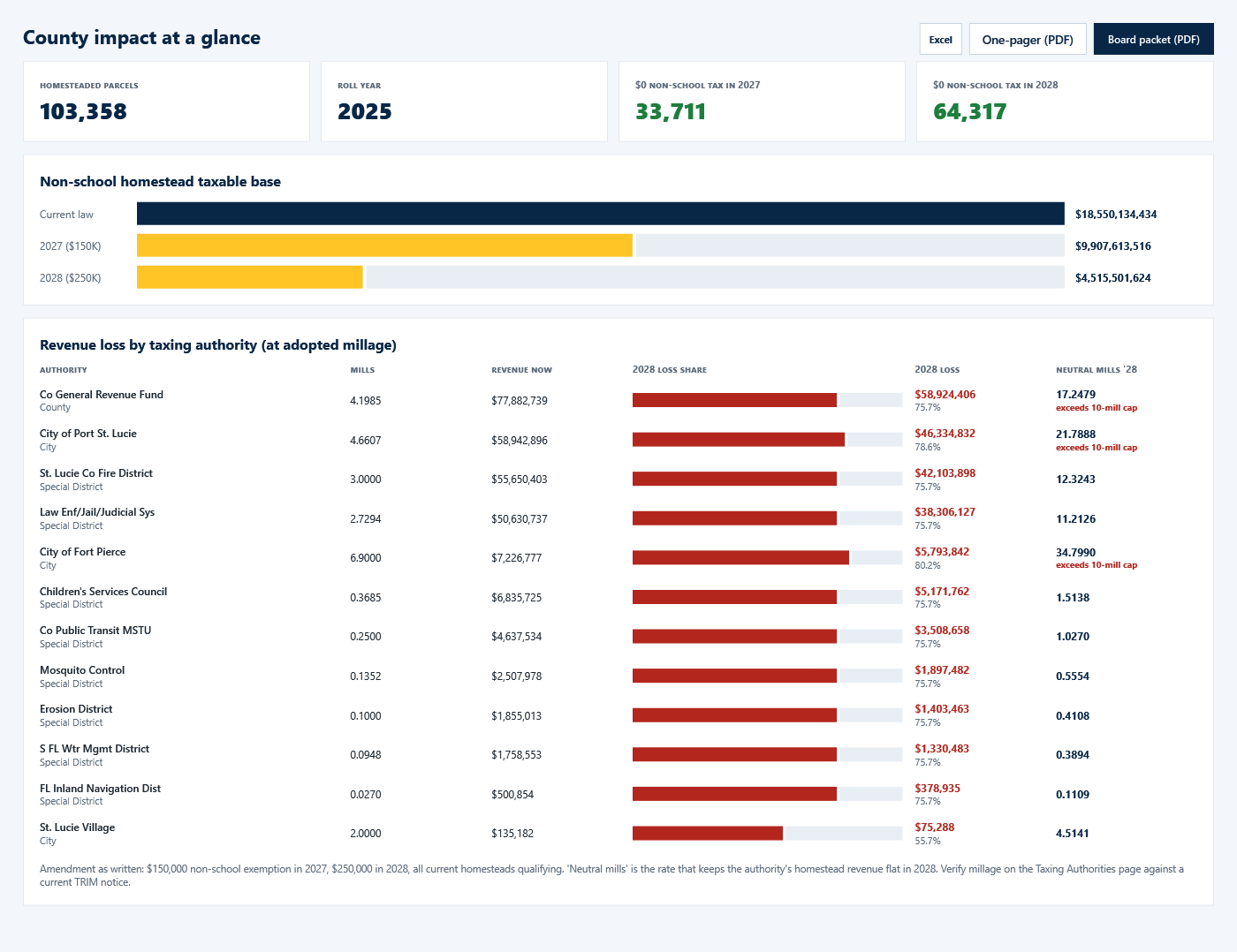
- The Dashboard: the county at a glance, the taxable base under current law and both tiers, the parcels that drop to zero non-school tax, and the revenue loss and revenue-neutral millage per taxing authority, flagged in red above Florida's 10-mill cap.
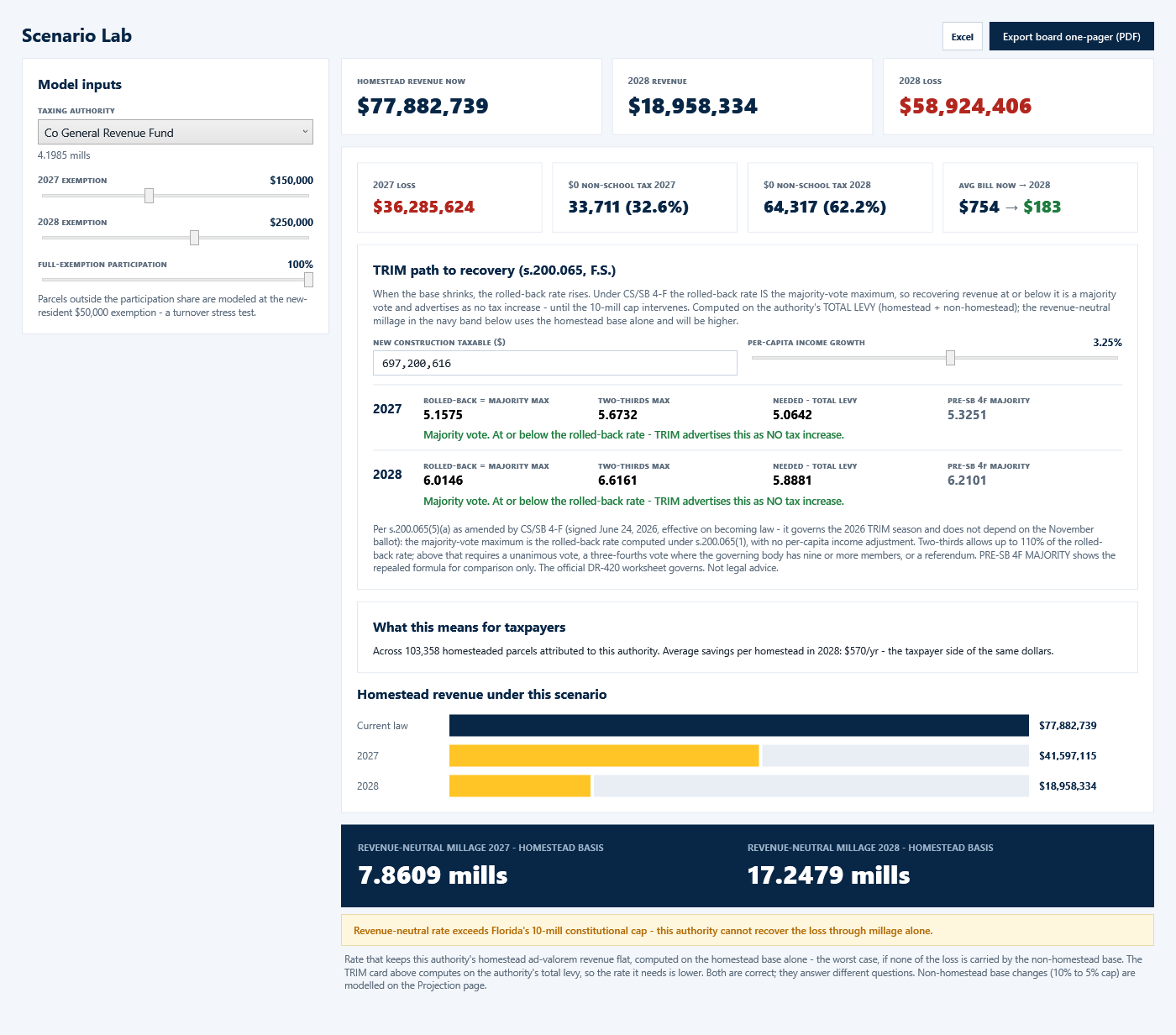
- Scenario Lab: one authority with the exemption levels and a participation stress test as sliders; the TRIM path to recovery under CS/SB 4-F with the rolled-back rate, the two-thirds maximum and the millage you actually need.
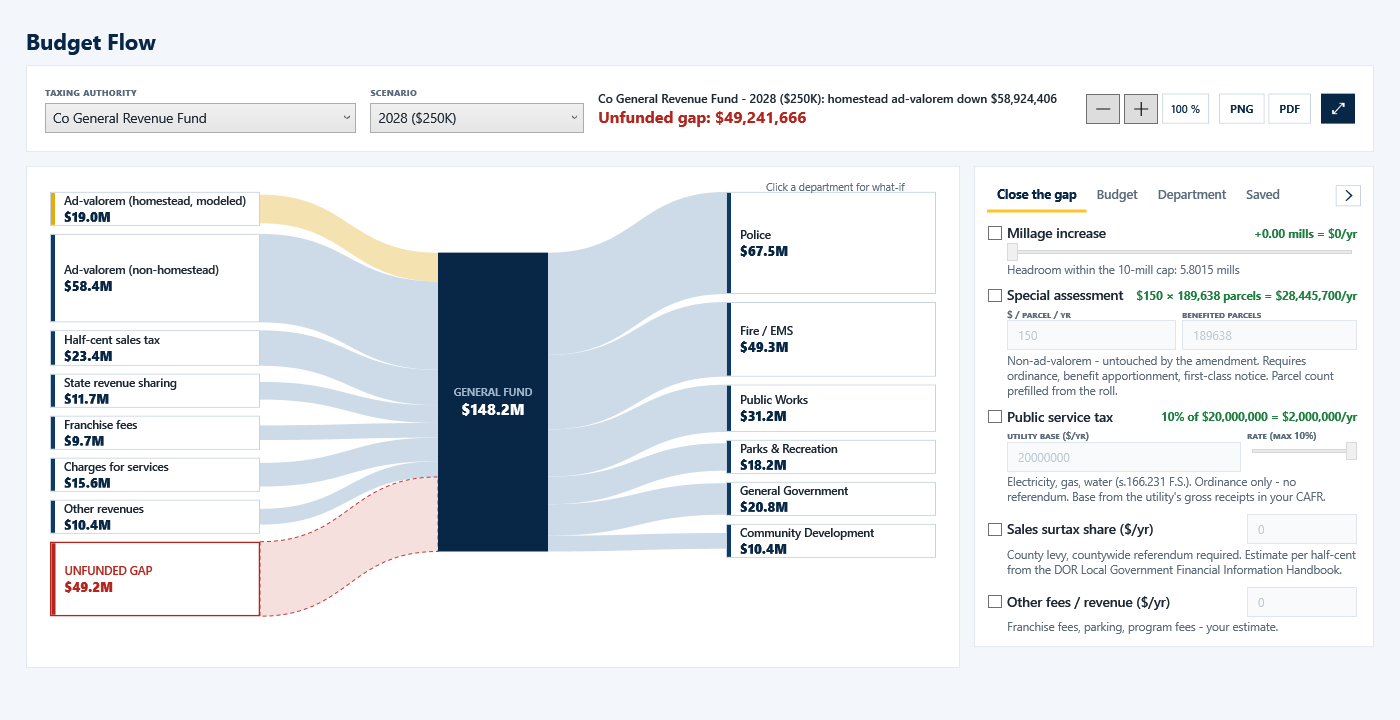
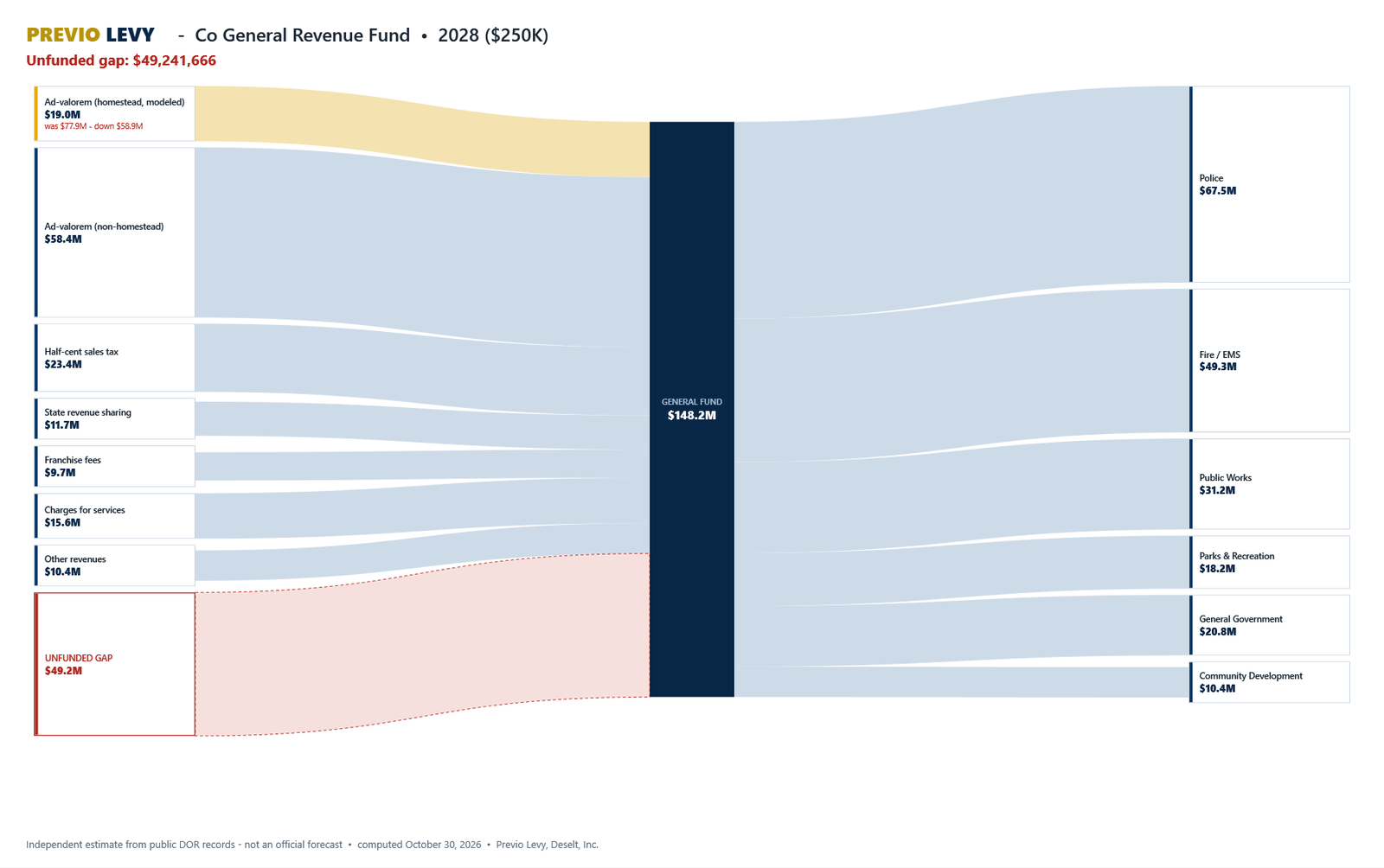
- Budget Flow: revenue sources, the fund and the departments drawn as flowing money, the unfunded gap in red, and the options that close it, each with its legal path. Save named mixes; present full screen.
- Multi-Year Projection to 2031 with Save-Our-Homes growth, market growth, turnover, new construction and the non-homestead cap change. Board one-pagers, the projection PDF, the two-page gap plan and the board packet, each with the roll year, the computation date and the disclaimer.
- Solo mode on a local SQLite file, or Team mode on your own SQL Server or Azure SQL. Project files carry a whole county as one file.
Who it is for
- Finance directors, budget officers and property appraisers of Florida counties, cities and special districts, and the consultants who prepare their TRIM season.
- Windows desktop; the 7-day trial has every analytical feature, exports and scenario saving activate with a licence.
Screenshots
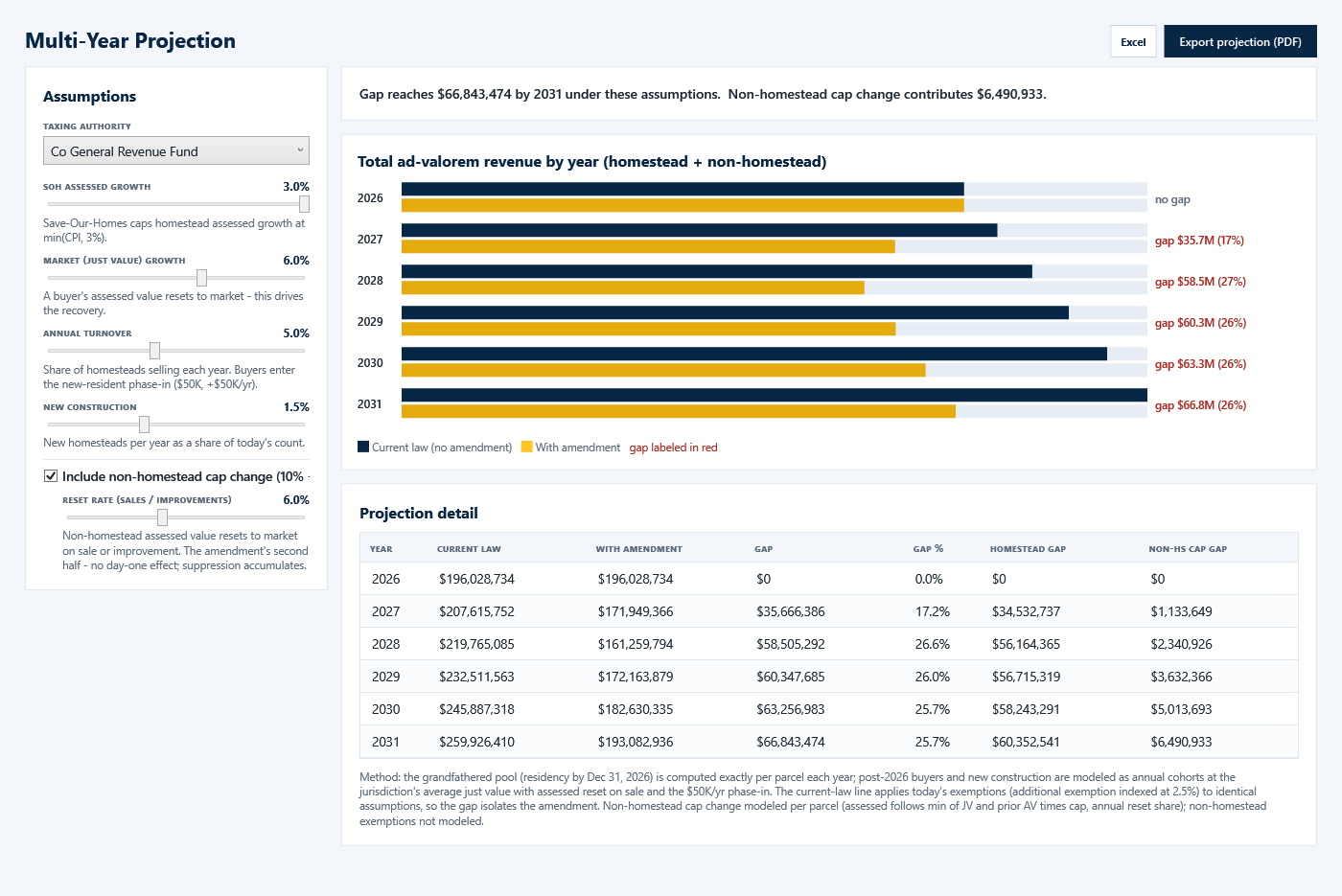
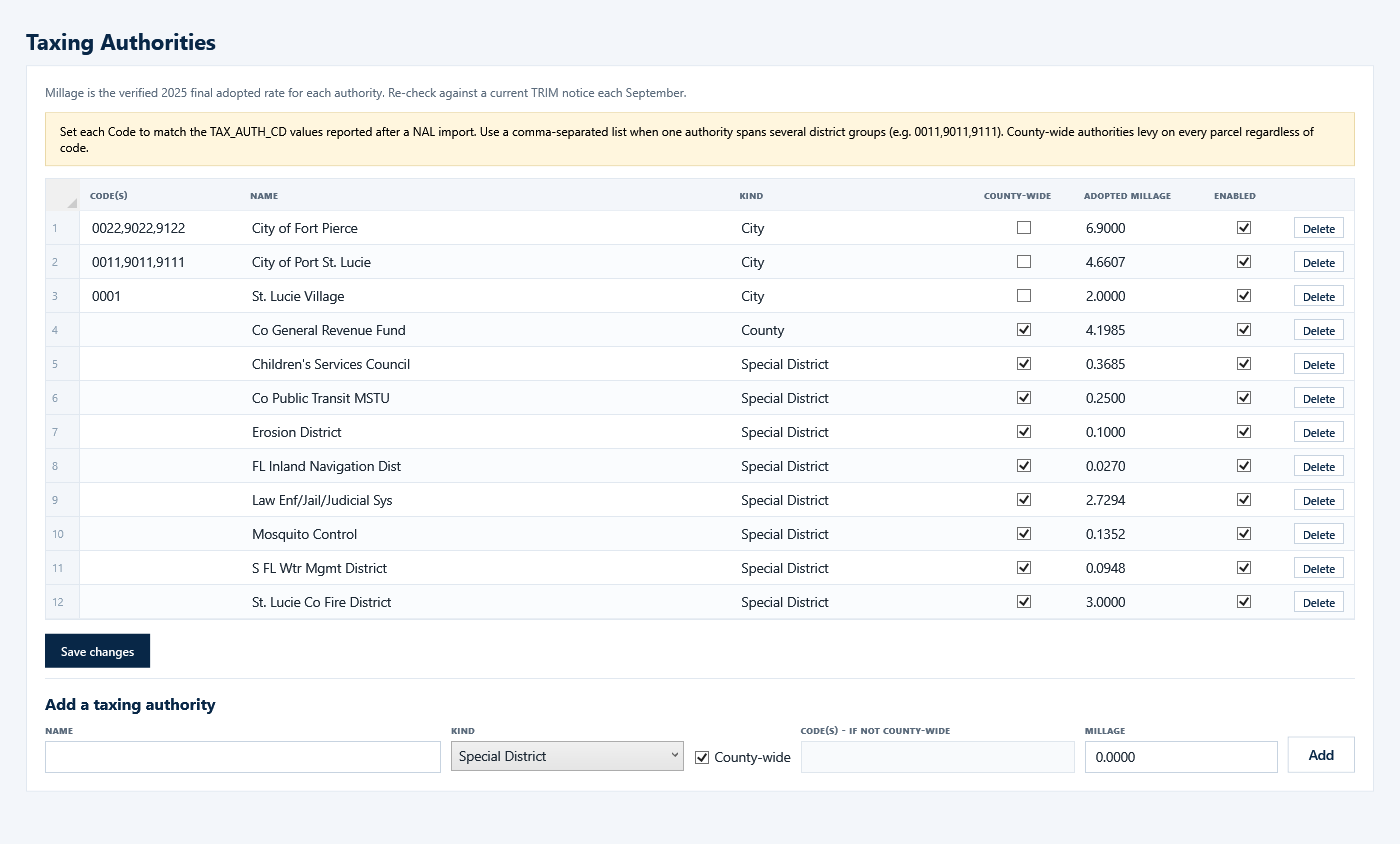
The screens show the real 2025 St. Lucie County roll from the Florida DOR, public records. The full description is on its page at deselt.com.
Help
The first day
- Get the data in. On Data / Import pick your county and the roll year and press Download & import from DOR; or Import NAL file if you already have the CSV. Load example data fills every screen with a synthetic county in seconds.
- Set up the taxing authorities. The import status lists the TAX_AUTH_CD codes in your roll. Give each city its codes and enter the adopted millage from the TRIM notice or the DR-403. County-wide authorities need no codes.
- Read the Dashboard. Verify the millage column against your TRIM notice; the per-authority loss and the neutral millage follow from it.
- Work one authority in Scenario Lab, then Budget Flow for the gap and the options, then Projection for the years after.
Two revenue-neutral rates, both correct
The TRIM card computes on the authority's total levy, homestead and non-homestead, so it says what the DR-420 will say. The navy band computes on the homestead base alone, the worst case if none of the loss is carried by the non-homestead base. The page says which is which.
SB 4-F
CS/SB 4-F was signed June 24, 2026 and governs the 2026 TRIM season regardless of the November ballot. The majority-vote maximum is the rolled-back rate; two-thirds allows 110% of it; above that a unanimous vote, three-fourths where the body has nine or more members, or a referendum. The repealed formula is shown beside the new one for comparison. The official DR-420 worksheet governs; nothing here is legal advice.
Budget Flow and the gap
Enter the authority's adopted budget once on the Budget tab, or start from the template and press Reset to template after a patch. Choose the scenario; the homestead band shrinks and the gap appears. On Close the gap tick the options: millage within the cap, a special assessment computed from your parcel count, public service tax, surtax, fees. Click a department for a what-if reduction. Save mixes on the Saved tab and switch between them live, including in Present mode.
Solo and Team
Solo mode keeps a local SQLite file. Team mode points every seat at a shared SQL Server on your network or Azure SQL; only the connection string differs, and it is stored encrypted for your Windows user. Your data stays on your machine or your own server; the only network call is licence verification.
Requirements
Windows 10 or 11, 64-bit. A licence key from deselt.com, or the 7-day trial. The DOR portal for a real roll; nothing else.